
I have to say that I am becoming increasingly cynical about writers who give advice on how to write all the time, regardless of circumstances. I am happy with advice like, "Always carry a notebook so you can jot down ideas while waiting at the supermarket checkout", or "Get up an hour before the rest of the family so you can write in peace", but sometimes life just, well, takes over.
Read MoreA brief review of Word Hippo
 I recently heard about Word Hippo, from a school pupil at Victoria Park Academy in the West Midlands, England. It’s an online dictionary, thesaurus and general all-round word helper.
I’m used to using the Oxford English dictionary and similar reference works, to which I have access through my library membership, so I wasn't feeling tremendously optimistic when I approached
Yesterday
 I love how even the most mundane of photos can act as a stimulus to the creative writing process. That’s why I always carry a camera of some description around with me.
How to create a magazine cover
 I have always liked presenting ideas in the form of a magazine cover. It can act as a stimulating writing prompt for other people, and it can also serve to help you focus on some key ideas. But most of all, it’s just enjoyable in its own right!
The power of habit
in News & views
 If you want to write consistently on a regular and frequent basis, you don’t have to use technology at all.
True, it can help. I, for example, like to give myself a bit of extra pressure by trying to write articles in half an hour or less, using TimeLeft. I wrote about that in How to write an article in 30 minutes or less. Some people prefer a no-frills wordprocessor such as FocusWriter (see my Review of FocusWriter).
However, I was reminded by Stephen King in his book On Writing that the routine of shutting yourself away until you’ve achieved your daily writing goal is an excellent strategy.
Making use of your photographs
in How to, Photography, Web 2.0
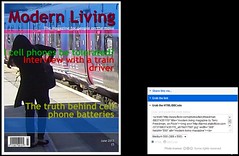 If, like me, you enjoy taking photographs, then why not use them in your blog posts. An easy way to do so is to open a Flickr account, upload your photos to it, and then use them when you need to.
Flickr is, to be honest, looking a bit long in the tooth, although its recent innovation of displaying very high resolution photographs by default is, shall we say, striking. But it is still a great service in my opinion, and for the writer a much better one than, say, Facebook.
Blogging software
 I've recently been having a few problems with Windows Live Writer and Squarespace. Well, one problem actually: they refused to work together any longer. Each time I clicked on "Send to blog", an error message popped up saying "We can't find it", or words to that effect.
That's all fixed now, thanks to the good folk at Squarespace, but in the meantime I thought I'd check out some of the alternatives.
Alternatives to Google Reader
I have just updated my article entitled What’s RSS and why is it useful? It still contains the basic information, but now that Google has decided to axe its RSS reader,
Read MoreFrom Paper to Computer
 It’s confession time again. When I said that I like to work on paper, for instance when drafting an outline for an article, I omitted to mention one important fact. Apart from when I jot things down in a notebook I carry around in my inside jacket pocket, all the notes I write the old-fashioned way are converted into a digital form as soon as possible afterwards.
There are two main reasons for this, both of them pragmatic.
4 reasons to work with pen and paper
 Erm, look. I don’t quite know how to put this but, well, er, sometimes – gosh this is so embarrassing! Well, the thing is, I know I’m supposed to be some sort of techno-geek but often I find that working on paper is better than working on a computer. For the initial outline anyway. There, I’ve said it. I feel much better now!
There are several reasons why working on – and with – paper is beneficial.
No excuse for poor spelling
in Language, News & views
 Unless you’re so poor at spelling or English in general that a spell-checker wouldn’t do you much good anyway, there isn’t really any excuse for this sort of thing
How competent a writer are you?
 I wonder if the management/business model of levels of competence applies to writers? The basic premise is that as you travel on the journey from novice to expert, you pass through four stages of competence. These are
Review of FocusWriter
in Reviews
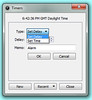 Just before starting this article I thought I ought to check my email. Then I checked the FocusWriter website to see if there was an update, or a UK English dictionary. Then I had a quick look at my TwitterFeed when something popped up in the corner of my eye. Then...
Well, anyway, when I finally got round to actually putting FocusWriter through its paces, I could see it was designed for people just like me
The pregnant moment
The artist Roy Litchtenstein, famous for paintings such as the one included here, chose his ‘scenes’ from comic books quite purposely.
Read MoreHow to incorporate media into your blog or website
in How to
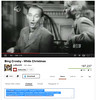 The act of incorporating actual pictures, videos or sound recordings or other media – as opposed to just links to them -- into your blog or website is known as 'embedding'.
You've almost certainly already seen examples of embedding. Go to any website where there's a video clip on the page, and you're looking at it in action. In other words, embedding is simply the act of inserting code into a web page or blog that puts the object right there on the page. This 'object' might be a video, a presentation, a document, a picture -- just about anything, in fact.
How to create a blog
 If you’ve decided that you’d like to blog, or at least that you’d like to dip your toe in the water and see if blogging is for you, you’ll be pleased to know that you don’t have to expend a huge amount of time or effort – or money.
How to recover lost files
in How to
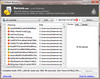 In this day and age we are a lot more fortunate than in times past, because we can store manuscripts on a computer, print them out, and make multiple backups. But what if, despite everything, you accidentally delete your prized magnum opus?
7 reasons writers should blog
 Here are my reflections on some of the reasons that I think writers should maintain a blog. They are by no means mutually exclusive.
In no particular order…
How to convert videos to audio files
in How to
 Let’s face it, a lot of videos don’t have a lot going on in terms of visual stimuli. True, there are those dreadful videos which consist purely of people holding up handwritten notices, accompanied by some awful dirge, and unfortunately you have to watch them if you want to learn what they have to say.
How to remove Babylon from your Firefox browser
in How to
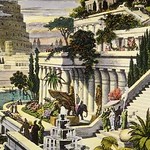 Babylon is an insidious program which, once installed, is a devil of a job to get rid of. An online translator, its website boasts “100 million downloads and counting”. I wonder how many of those were intended.
Because the problem is, as you may have had the misfortune to discover from personal experience, is that if you’re not careful you can install Babylon by accident. And once you’ve done so, it can be extremely irritating because one of the effects of having it on your system is that it makes itself the default search engine in the address bar of your browser.